고객 서비스

판매자들은 가입하면 더 많은 혜택을 누릴 수 있습니다.

모든 주문 무료 배송.

입력 장치

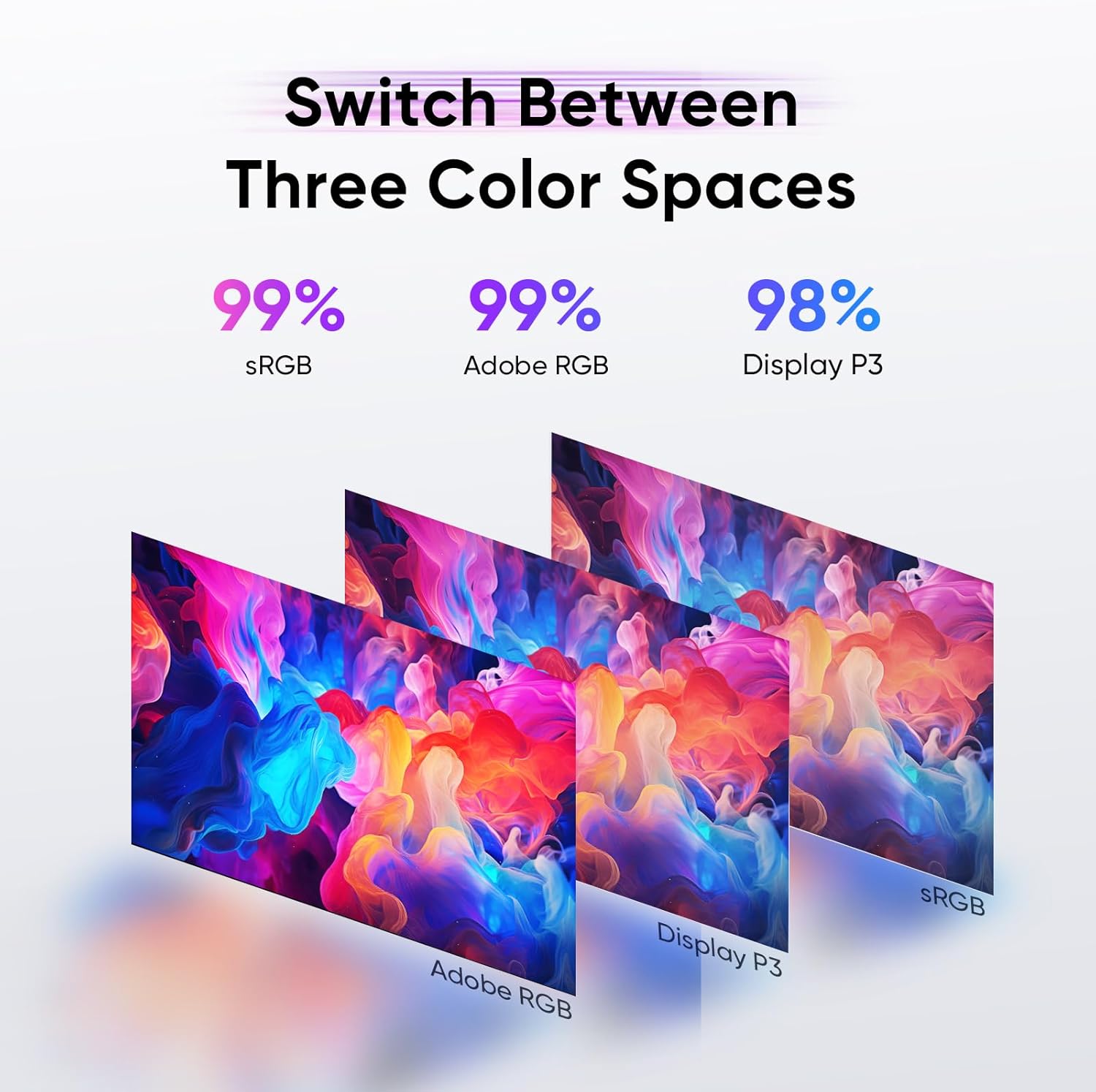
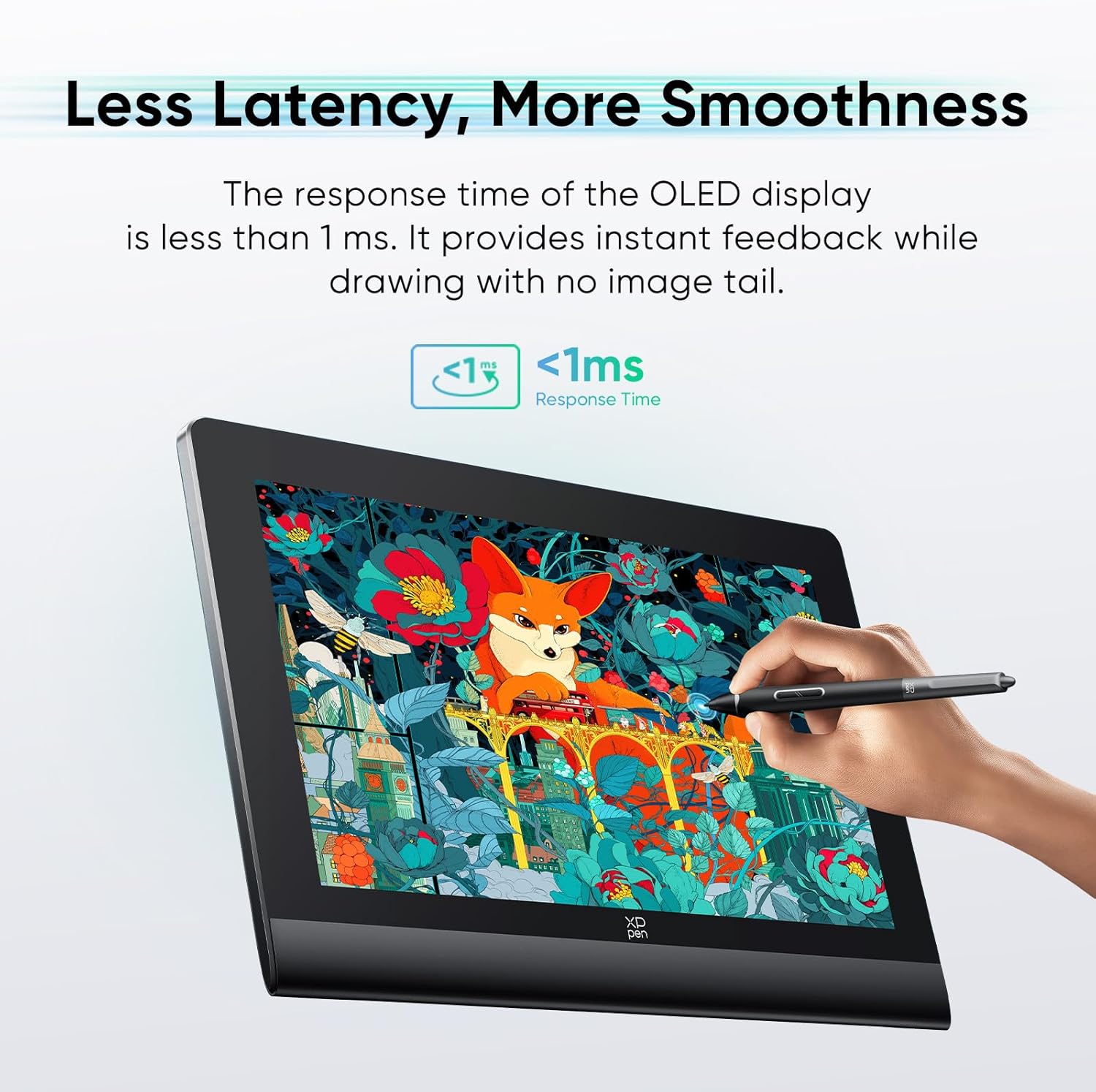
XPPen Artist Ultra 16 4K OLED Touchscreen Drawing Tablet 15.6" Drawing Monitor with 99% Adobe RGB Dual 16K Pen Pressure Styli Mini Keydial 1.07 Billion Colors Art Tablet for Mac PC Chromebook Android

4.80

지난 32시간 동안 판매됨 44

$ 749.99
$ 823.00
-9.73%

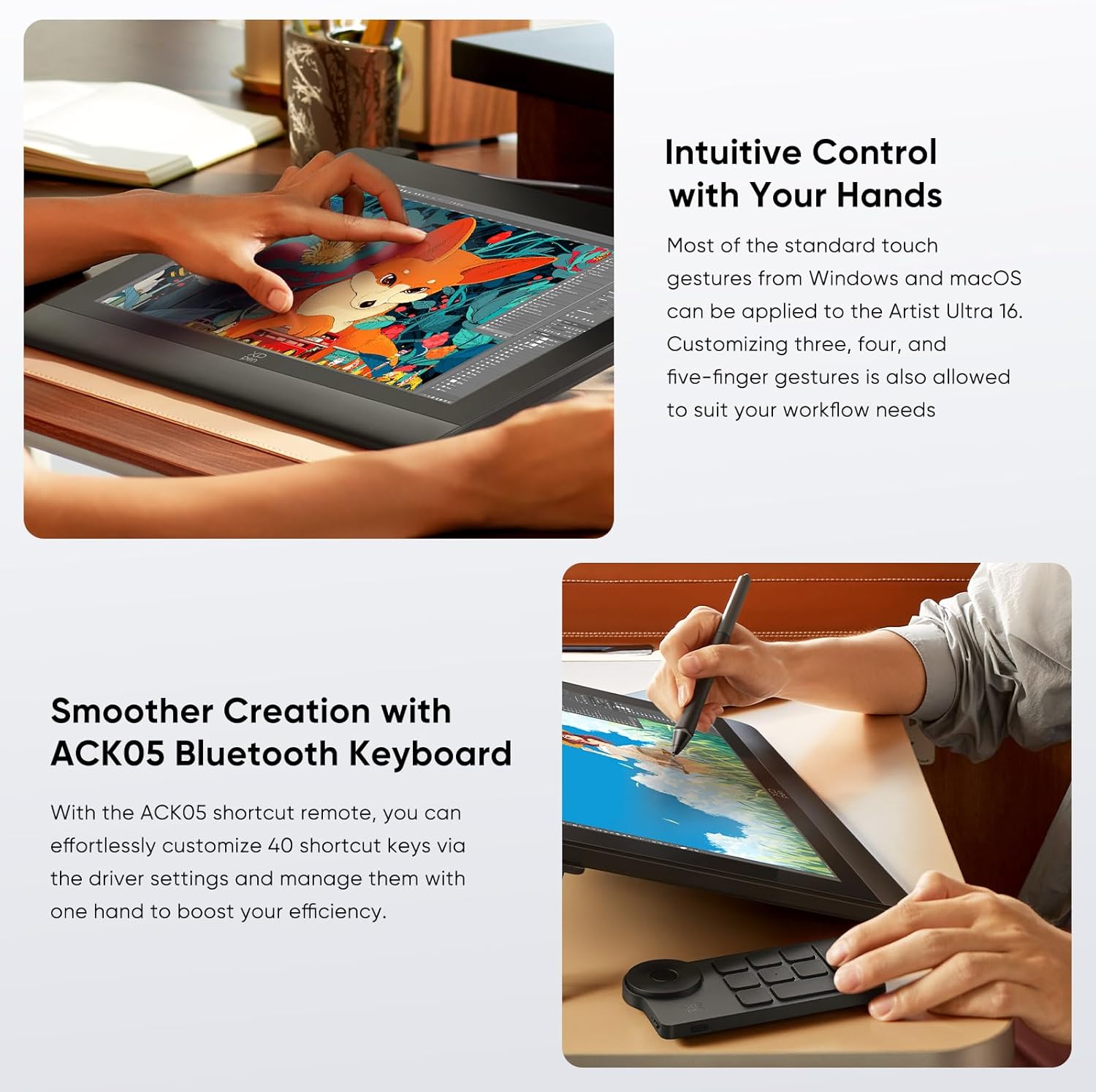
Totally worth the price (if you can get it on a decent sale). My old pen display was a XPPen Artist 15.6 Pro v1, and I loved it for 6yrs, it's still going strong and has no issues. But the 1080p resolution is getting harder on the aging eyes. Plus with my new computer upgrades I can actually use higher graphics now. I have had this pen display for a few days now and I am loving it! It's super easy to wipe down after a long day of drawing since the screen is all one piece, no seems except the one at the bottom. The glass feels smooth with a paper like feel. The touch functions are great to use, easy to set up as well. (Just remember to go into Windows settings and select which monitor uses touch gestures on.) I LOVE that I can select a section of the screen to not use touch functions, I set this area for where all the tools and layers ect are in the UI of my CSP, so I can freely draw, rotate, zoom, pan, ect, and not worry about my hand accidently deleting a layer or selecting the wrong brush. The pens are great, I am glad it came with 2, as I have been curious about the slim pens, but I decided to use the normal one as only the normal one can use the felt tips. As for the drawing experience with the pen, it is very good. The sensitivity in the pen is crazy, I found I am only using at most 3-4 thousands range out of the 16k limit, so all my strokes are on the lighter end. This is good and more realistic for a lot of my brushes, something that I couldn't do with my old pen display as the pen limit was only 8k and resulted in many brushes being too opaque. I also love that this pen has Rotation, something my old pen didn't which was a big bummer because I have lots of new brushes that need it but couldn't use it before. I will say the one downside is it is not VISA compatible. But this wasn't a deal breaker for me as my old pen display was not either, so I use a Laptop Tray on a monitor arm to hold my pen display. Just stick some Nano Tape on the back of the pen display to stick it to the laptop tray and she's good to go, it will hold super strong if it's good nano tape.Link to laptop tray I use:https://www.amazon.com/dp/B07R47YY1N

18 현재 누군가가 웹사이트를 탐색 중입니다.

수량:
- +

예상 배송 시간: 12~26일(국제), 3~6일(미국)

구매일로부터 45일 이내에 반품이 가능합니다. 관세 및 세금은 환불되지 않습니다.

  • ASIN:

    B0FKM6DP6V

  • BATTERIES:

    1 9V batteries required.

  • BEST_SELLERS_RANK:

    #100 in Computer Graphics Tablets

  • CUSTOMER_REVIEWS:

    4.8 4.8 out of 5 stars (12) 4.8 out of 5 stars

  • DATE_FIRST_AVAILABLE:

    July 31, 2025

  • ITEM_WEIGHT:

    8.85 pounds

  • MANUFACTURER:

    XP-PEN

  • PACKAGE_DIMENSIONS:

    18.03 x 13.46 x 3.23 inches

안전한 결제를 보장하세요

제품 상세 정보

고객 리뷰
4.80

(100 점수)

5
0
4
0
3
0
2
18
1
82
댓글 취소
댓글을 남겨주세요

8 논평

5.0 out of 5 stars What you should know before you buy.
2026-01-03    -Jenny R Phillips

Know that this XPPen is only as good as the software you use it with. Great XPPEN TABLET.

Totally worth the price (if you can get it on a decent sale). My old pen display was a XPPen Artist 15.6 Pro v1, and I loved it for 6yrs, it's still going strong and has no issues. But the 1080p resolution is getting harder on the aging eyes. Plus with my new computer upgrades I can actually use higher graphics now. I have had this pen display for a few days now and I am loving it! It's super easy to wipe down after a long day of drawing since the screen is all one piece, no seems except the one at the bottom. The glass feels smooth with a paper like feel. The touch functions are great to use, easy to set up as well. (Just remember to go into Windows settings and select which monitor uses touch gestures on.) I LOVE that I can select a section of the screen to not use touch functions, I set this area for where all the tools and layers ect are in the UI of my CSP, so I can freely draw, rotate, zoom, pan, ect, and not worry about my hand accidently deleting a layer or selecting the wrong brush. The pens are great, I am glad it came with 2, as I have been curious about the slim pens, but I decided to use the normal one as only the normal one can use the felt tips. As for the drawing experience with the pen, it is very good. The sensitivity in the pen is crazy, I found I am only using at most 3-4 thousands range out of the 16k limit, so all my strokes are on the lighter end. This is good and more realistic for a lot of my brushes, something that I couldn't do with my old pen display as the pen limit was only 8k and resulted in many brushes being too opaque. I also love that this pen has Rotation, something my old pen didn't which was a big bummer because I have lots of new brushes that need it but couldn't use it before. I will say the one downside is it is not VISA compatible. But this wasn't a deal breaker for me as my old pen display was not either, so I use a Laptop Tray on a monitor arm to hold my pen display. Just stick some Nano Tape on the back of the pen display to stick it to the laptop tray and she's good to go, it will hold super strong if it's good nano tape.Link to laptop tray I use:https://www.amazon.com/dp/B07R47YY1N

Well, it wasn't for me, but my granddaughter was thrilled, if that counts.

Very pricey item. Recommend that you catch the item on sale. Purchased this item for my son's 23rd birthday. He loved it.Here's his review:"Easy to set-up and use for both PC and Android phones. Touch-Screen and Pen are very responsive and smooth to use. Also makes for a very good monitor, as it can go up to 4K resolution. Is just the right size for both portability and drawing area. The colors are very vibrant aswell. Over-all a very good display tablet."

Well, it wasn't for me, but my granddaughter was thrilled, if that counts.

Very pricey item. Recommend that you catch the item on sale. Purchased this item for my son's 23rd birthday. He loved it.Here's his review:"Easy to set-up and use for both PC and Android phones. Touch-Screen and Pen are very responsive and smooth to use. Also makes for a very good monitor, as it can go up to 4K resolution. Is just the right size for both portability and drawing area. The colors are very vibrant aswell. Over-all a very good display tablet."

Totally worth the price (if you can get it on a decent sale). My old pen display was a XPPen Artist 15.6 Pro v1, and I loved it for 6yrs, it's still going strong and has no issues. But the 1080p resolution is getting harder on the aging eyes. Plus with my new computer upgrades I can actually use higher graphics now. I have had this pen display for a few days now and I am loving it! It's super easy to wipe down after a long day of drawing since the screen is all one piece, no seems except the one at the bottom. The glass feels smooth with a paper like feel. The touch functions are great to use, easy to set up as well. (Just remember to go into Windows settings and select which monitor uses touch gestures on.) I LOVE that I can select a section of the screen to not use touch functions, I set this area for where all the tools and layers ect are in the UI of my CSP, so I can freely draw, rotate, zoom, pan, ect, and not worry about my hand accidently deleting a layer or selecting the wrong brush. The pens are great, I am glad it came with 2, as I have been curious about the slim pens, but I decided to use the normal one as only the normal one can use the felt tips. As for the drawing experience with the pen, it is very good. The sensitivity in the pen is crazy, I found I am only using at most 3-4 thousands range out of the 16k limit, so all my strokes are on the lighter end. This is good and more realistic for a lot of my brushes, something that I couldn't do with my old pen display as the pen limit was only 8k and resulted in many brushes being too opaque. I also love that this pen has Rotation, something my old pen didn't which was a big bummer because I have lots of new brushes that need it but couldn't use it before. I will say the one downside is it is not VISA compatible. But this wasn't a deal breaker for me as my old pen display was not either, so I use a Laptop Tray on a monitor arm to hold my pen display. Just stick some Nano Tape on the back of the pen display to stick it to the laptop tray and she's good to go, it will hold super strong if it's good nano tape.Link to laptop tray I use:https://www.amazon.com/dp/B07R47YY1N

5.0 out of 5 stars What you should know before you buy.
2026-01-02    -Jenny R Phillips

Know that this XPPen is only as good as the software you use it with. Great XPPEN TABLET.

댓글을 남겨주세요:

댓글 제목
댓글 내용
배송 및 반품
우리가 당신을 보호하겠습니다

대부분 지역에서는 배송비를 한 번만 지불하시면 됩니다 (주문 및 배송 페이지를 확인해 주세요).

구매 후 14일 이내 무료 반품 가능 (단, 수명이 다한 제품, 맞춤 제작 상품, 마스크, 향수 및 에어로졸과 같이 위험하거나 인화성 물질이 포함된 일부 제품은 제외).

수입 관세 정보

복잡한 절차는 저희가 처리해 드리겠습니다. 카나리아 제도를 제외한 모든 EU 국가, 영국, 미국, 캐나다, 호주, 뉴질랜드, 푸에르토리코, 스위스, 싱가포르, 한국, 쿠웨이트, 멕시코, 카타르, 인도, 노르웨이, 사우디아라비아, 대만, 태국, UAE, 일본, 브라질, 맨섬, 산마리노, 콜롬비아, 칠레, 아르헨티나, 이집트, 레바논, 홍콩 특별행정구, 바레인, 터키로 배송되는 상품 가격에는 모든 수입 관세가 포함되어 있습니다. 표시된 가격이 최종 결제 금액입니다.

예상 배송 시간

특급 배송: 7-10일

해당 창고에서 배송되었습니다.

더 자세한 정보가 필요하신가요?
반품 정책
반품 정책

저희는 제품 품질에 자신 있습니다. 만약 구매하신 제품에 완전히 만족하지 못하신다면, 수령일로부터 30일 이내에 간편하게 반품하실 수 있도록 정책을 마련해 두었습니다.

간편한 교환 또는 환불
  • 다른 사이즈, 색상 또는 스타일의 상품으로 교환하거나 전액 환불받을 수 있습니다.
  • 반품되는 모든 상품은 착용하지 않은 상태여야 하며, 원래 포장 상태 그대로 모든 태그가 손상되지 않은 상태여야 합니다.
간단한 절차
  • 온라인으로 반품을 신청하거나 고객 서비스 팀에 문의하여 도움을 받으실 수 있습니다.
  • 물품을 제대로 포장해 주시고, 원래의 포장 목록도 함께 넣어주세요.
  • 반품하실 상품을 보내주실 때에는 저희가 제공해 드린 선불 배송 라벨을 사용해 주시기 바랍니다.
  • 환불 요청 접수 즉시 처리해 드리겠습니다.

반품과 관련하여 궁금한 점이나 우려 사항이 있으시면 언제든지 저희 전문 고객 서비스 팀에 문의해 주세요. 고객 만족은 저희의 최우선 목표입니다.

범주
차이
제품
모든 제품 지우기