고객 서비스

판매자들은 가입하면 더 많은 혜택을 누릴 수 있습니다.

모든 주문 무료 배송.

온도 조절기

Amazon Smart Thermostat – Save money and energy - Works with Alexa and Ring - C-wire required

4.00

지난 32시간 동안 판매됨 32

$ 79.99
$ 83.00
-3.76%

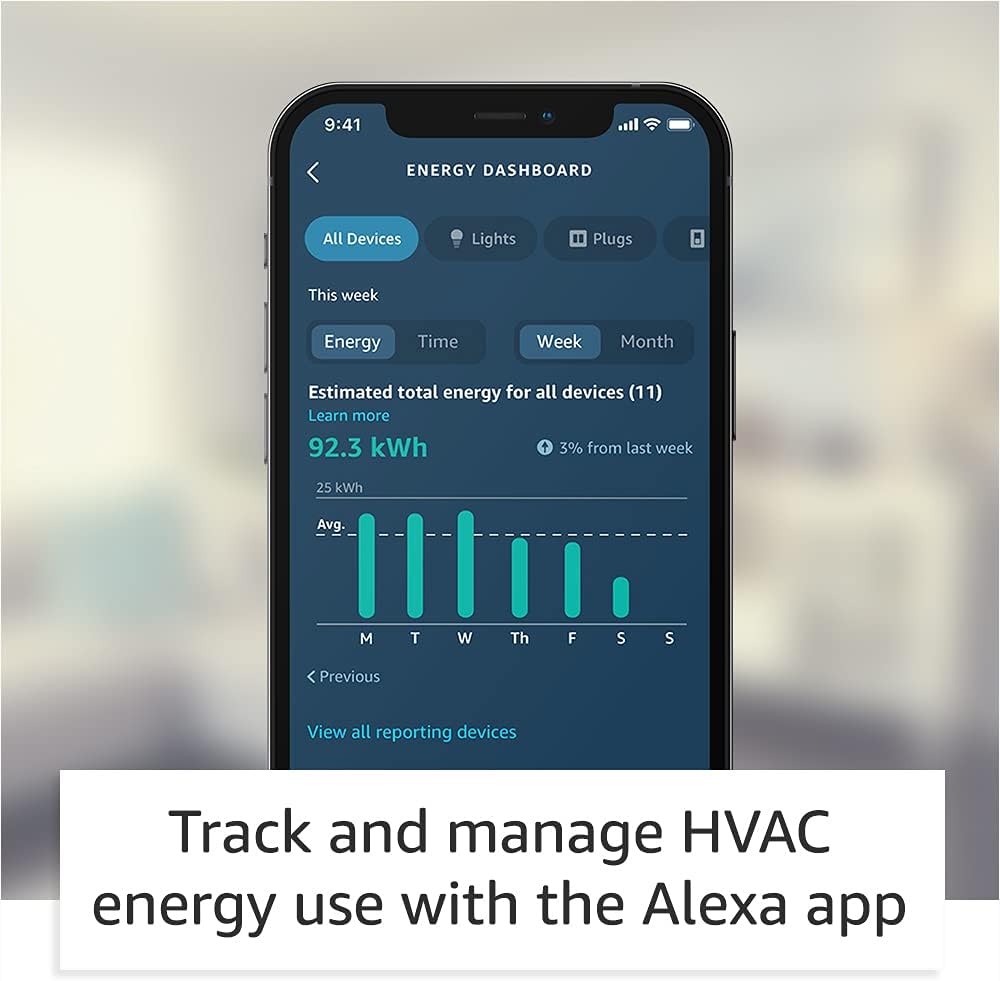
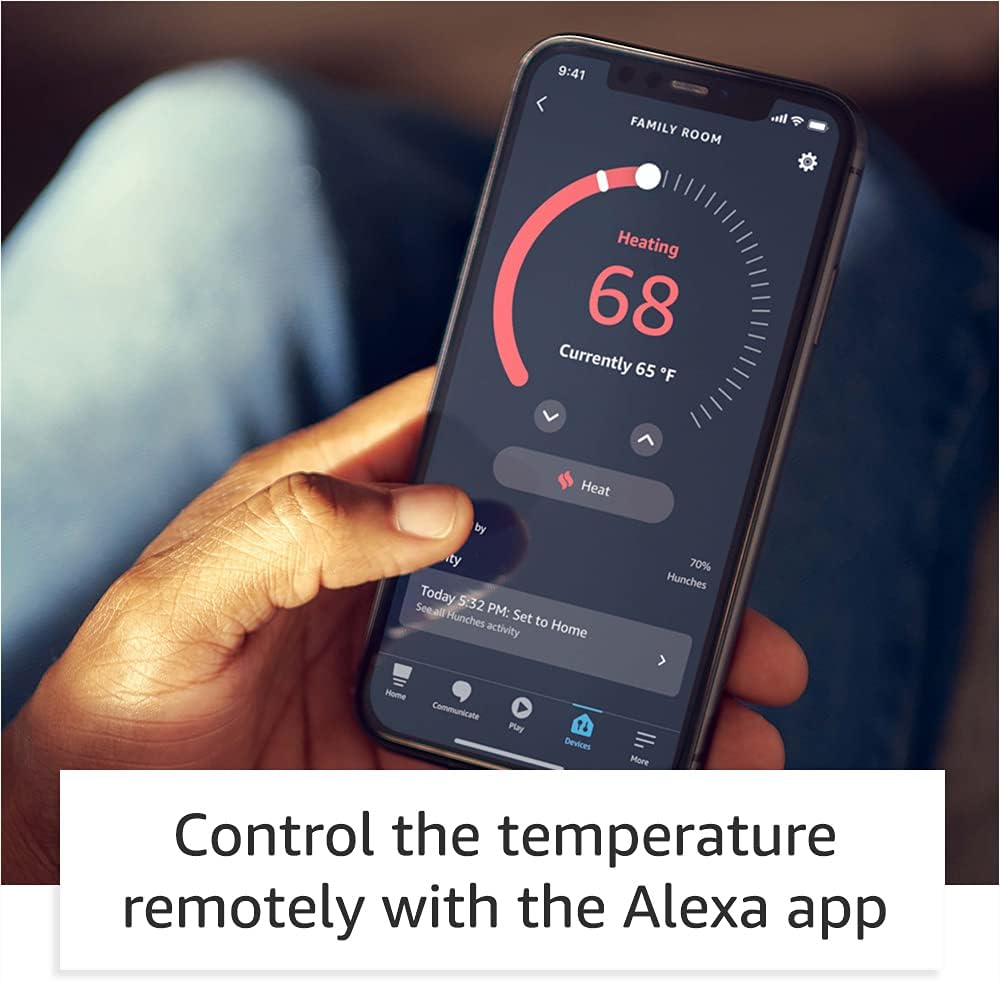
I’m a big Nest fan had it on my old house the problem that I have with them it’s the cost, and even with gas company great rebate didn’t justify the cost especially with my new home having a total of 5 thermostats (t-stat). I was excited when I found that Amazon partner with Honeywell to get this t-stat created as Honeywell has been creating t-stat for years which make me feel better when making the purchase.---COST---Now let go over the details for cost it’s good and I got two of them which at the end of the day will be free due to the electric company rebate for a smart t-stat. I didn’t get a C- adapter and I will explain later (INSTALL session) why I purchase a 24-volt transformer for my first-floor unit.---INSTALL---Love the package it reminds me of the NEST when it first starts came with everything that you needed the only additional tools, I need was a harmer, and drill but this is normal for these installations.Now the biggest question that everyone has is the C (common) wire. This is where you need to do your research regardless of what company you go with when upgrading to a smart thermostat, due your homework on what you need. For me I have a spill unit (boiler & A/C) first for my second-floor unit it was super easy I had an extra wire and I use it for Common the t-stat startup and finish within 30 min. Now for my first floor I utilize a 24-volt transformer because I didn’t have spare cables and I didn’t want to run a new cable which drove me to make the purchase again do your homework before and see what option best works for your use case.I connected the transformer to the C wire and the other end to Rc and that works like a champ. This is critical if you have a split unit since Honeywell power their t-stat via Rc only when you have two RED Wire (R (heater) and Rc(cooling)) and the blue tab (internal jumper is down position. If you only have one RED Wire you are fine just keep the blue tab up and your t-stat will turn on without any problems. I did reach out to Honeywell and explain to them they need to explain this on their site and white papers that when you have split units’ power for the t-stat will come from Rc and not from R this is critical because my house previous owner installed a switch to keep the A/C unit down through the winter to avoid accident turning on the unit which is great idea. Please keep in mind this is NOT an Amazon problem that is Honeywell they did acknowledge their mistake and agree to update their site and documentation.Running my transformer cable and installing the unit took me about 60 minutes because I wanted to look perfect with the transformer cable going through the wall this make the installation look cleaner.----SETUP----Once all wire were connected the setup of the t-stat was simply and when I say simple it was super didn’t have input the WiFi password or anything else since it automatic joined my account that was amazing and simply just like setting a fire table that was a great experience. Amazon did an amazing job doing this some users this my not be as good, but I look automation the less click I must do the less chances of mistake A+---LOOK---The t-stat looks great after the final install the wall panel (included but optional for install) made it easier for me since I didn’t have to paint (if you had a different color paint I would recommend adjusting before completing the install but that is just me)---Interface (GUI)----For me the GUI is great for some it my but I’m one of those people that like to have one application on my phone or tablet rather than 2 and this is where Amazon did another amazing job. Please keep in mind that Google who purchase NEST is doing the same thing I see the NEST application going away in the future all new NEST is configure from Google Home and they also did a great job The GUI it’s simple and allows you to setup multiple schedules and copy them to different days or week. Huge plus on my book because for the NEST I had to do manually per day I can setup one day and copy to another. You can setup away and home schedule or utilize your current Amazon device to tell the t-stat that you are home or away. Another item that I love from the Amazon you can setup MAX cooling or heating this allows for mistake not to happen and getting your house too hot or cool really go option to have and you can set filter replacements without your assistance (optional) for me this is great no more remembering air filter as they will show up at my footsteps.Energy saving incentives can also be done via the application. The dashboard its great too it tells you how much energy you utilize each day and where you can save.Now the only downside for that I experience is only scheduling session on Android because it forces close my Alexa application all the time, I don’t have this problem with anything else on the application just the scheduling session. This option works perfect on my wife new iPhone and iPad pro and new Android phone. My old Android is the one with this problem, but I experience this kind of thing on and off since it’s an older device.-------Final judgment ----The device is good option for a smart t-stat and would recommend for anyone some of the problems that were reported it was on day one which is expected with any new launch overall I see this t-stat giving Google (NEST) and others a run for their money as now you have a great option for smart t-stat and you don’t require to break your budget to acquire one. In addition, love the one application for everything as previously mentioned all big companies are doing this model to stop the install of some many other applications. In a scale from 0 -10 this t-stat gets a 9 please note that the NEST 3rd gen got a 9 from me. Hope this helps everyone make the correct decision and I will update this review in a few weeks to report back.

28 현재 누군가가 웹사이트를 탐색 중입니다.

Configuration
Thermostat only
Size
1 Pack 2 Pack
수량:
- +

예상 배송 시간: 12~26일(국제), 3~6일(미국)

구매일로부터 45일 이내에 반품이 가능합니다. 관세 및 세금은 환불되지 않습니다.

안전한 결제를 보장하세요

제품 상세 정보
고객 리뷰
4.00

(100 점수)

5
15
4
4
3
7
2
13
1
61
댓글 취소
댓글을 남겨주세요

8 논평

I have two separate HVAC systems at home. One of the thermostats is installed in the hallway, and unfortunately it’s affected by airflow from the other HVAC system. As a result, the temperature reading is often inaccurate and the system doesn’t work properly.A paid technician suggested replacing it with a smart thermostat plus two remote sensors placed in the rooms that actually need temperature control. The quoted cost was around $600, which felt way too expensive.Then I found the Amazon Smart Thermostat. By pairing it with two Echo Dots I already owned, I was able to achieve essentially the same functionality: controlling the temperature based on the rooms I care about for only about $80.Setup was straightforward, Alexa integration works great, and the temperature control is now much more accurate and comfortable. I’m honestly very happy with this solution and impressed by how much money it saved me.Highly recommended if you’re looking for a smart, budget-friendly alternative to costly professional setups.

Purchased these to replace my Nest thermostats after I got a email notice by Google that they would not support my thermostats going forward and forcing me to buy their updated thermostats. Seems suspicious and wanted you to spend more with them on new thermostats. So I searched and found these at a good price. I installed one just last week's and work well. The ease of use on my alexa app was priceless. Also the video instructions are easy and anyone can follow when installing. Must get if you need new thermostats and a great price.

5.0 out of 5 stars Amazon Smart t-stat honest review
2026-02-12    -funnytennisman

I’m a big Nest fan had it on my old house the problem that I have with them it’s the cost, and even with gas company great rebate didn’t justify the cost especially with my new home having a total of 5 thermostats (t-stat). I was excited when I found that Amazon partner with Honeywell to get this t-stat created as Honeywell has been creating t-stat for years which make me feel better when making the purchase.---COST---Now let go over the details for cost it’s good and I got two of them which at the end of the day will be free due to the electric company rebate for a smart t-stat. I didn’t get a C- adapter and I will explain later (INSTALL session) why I purchase a 24-volt transformer for my first-floor unit.---INSTALL---Love the package it reminds me of the NEST when it first starts came with everything that you needed the only additional tools, I need was a harmer, and drill but this is normal for these installations.Now the biggest question that everyone has is the C (common) wire. This is where you need to do your research regardless of what company you go with when upgrading to a smart thermostat, due your homework on what you need. For me I have a spill unit (boiler & A/C) first for my second-floor unit it was super easy I had an extra wire and I use it for Common the t-stat startup and finish within 30 min. Now for my first floor I utilize a 24-volt transformer because I didn’t have spare cables and I didn’t want to run a new cable which drove me to make the purchase again do your homework before and see what option best works for your use case.I connected the transformer to the C wire and the other end to Rc and that works like a champ. This is critical if you have a split unit since Honeywell power their t-stat via Rc only when you have two RED Wire (R (heater) and Rc(cooling)) and the blue tab (internal jumper is down position. If you only have one RED Wire you are fine just keep the blue tab up and your t-stat will turn on without any problems. I did reach out to Honeywell and explain to them they need to explain this on their site and white papers that when you have split units’ power for the t-stat will come from Rc and not from R this is critical because my house previous owner installed a switch to keep the A/C unit down through the winter to avoid accident turning on the unit which is great idea. Please keep in mind this is NOT an Amazon problem that is Honeywell they did acknowledge their mistake and agree to update their site and documentation.Running my transformer cable and installing the unit took me about 60 minutes because I wanted to look perfect with the transformer cable going through the wall this make the installation look cleaner.----SETUP----Once all wire were connected the setup of the t-stat was simply and when I say simple it was super didn’t have input the WiFi password or anything else since it automatic joined my account that was amazing and simply just like setting a fire table that was a great experience. Amazon did an amazing job doing this some users this my not be as good, but I look automation the less click I must do the less chances of mistake A+---LOOK---The t-stat looks great after the final install the wall panel (included but optional for install) made it easier for me since I didn’t have to paint (if you had a different color paint I would recommend adjusting before completing the install but that is just me)---Interface (GUI)----For me the GUI is great for some it my but I’m one of those people that like to have one application on my phone or tablet rather than 2 and this is where Amazon did another amazing job. Please keep in mind that Google who purchase NEST is doing the same thing I see the NEST application going away in the future all new NEST is configure from Google Home and they also did a great job The GUI it’s simple and allows you to setup multiple schedules and copy them to different days or week. Huge plus on my book because for the NEST I had to do manually per day I can setup one day and copy to another. You can setup away and home schedule or utilize your current Amazon device to tell the t-stat that you are home or away. Another item that I love from the Amazon you can setup MAX cooling or heating this allows for mistake not to happen and getting your house too hot or cool really go option to have and you can set filter replacements without your assistance (optional) for me this is great no more remembering air filter as they will show up at my footsteps.Energy saving incentives can also be done via the application. The dashboard its great too it tells you how much energy you utilize each day and where you can save.Now the only downside for that I experience is only scheduling session on Android because it forces close my Alexa application all the time, I don’t have this problem with anything else on the application just the scheduling session. This option works perfect on my wife new iPhone and iPad pro and new Android phone. My old Android is the one with this problem, but I experience this kind of thing on and off since it’s an older device.-------Final judgment ----The device is good option for a smart t-stat and would recommend for anyone some of the problems that were reported it was on day one which is expected with any new launch overall I see this t-stat giving Google (NEST) and others a run for their money as now you have a great option for smart t-stat and you don’t require to break your budget to acquire one. In addition, love the one application for everything as previously mentioned all big companies are doing this model to stop the install of some many other applications. In a scale from 0 -10 this t-stat gets a 9 please note that the NEST 3rd gen got a 9 from me. Hope this helps everyone make the correct decision and I will update this review in a few weeks to report back.

Purchased these to replace my Nest thermostats after I got a email notice by Google that they would not support my thermostats going forward and forcing me to buy their updated thermostats. Seems suspicious and wanted you to spend more with them on new thermostats. So I searched and found these at a good price. I installed one just last week's and work well. The ease of use on my alexa app was priceless. Also the video instructions are easy and anyone can follow when installing. Must get if you need new thermostats and a great price.

I have two separate HVAC systems at home. One of the thermostats is installed in the hallway, and unfortunately it’s affected by airflow from the other HVAC system. As a result, the temperature reading is often inaccurate and the system doesn’t work properly.A paid technician suggested replacing it with a smart thermostat plus two remote sensors placed in the rooms that actually need temperature control. The quoted cost was around $600, which felt way too expensive.Then I found the Amazon Smart Thermostat. By pairing it with two Echo Dots I already owned, I was able to achieve essentially the same functionality: controlling the temperature based on the rooms I care about for only about $80.Setup was straightforward, Alexa integration works great, and the temperature control is now much more accurate and comfortable. I’m honestly very happy with this solution and impressed by how much money it saved me.Highly recommended if you’re looking for a smart, budget-friendly alternative to costly professional setups.

I love this thermostat (once I got past installation), especially compared to my old one. There’s only three buttons on the device, which are easy to use. My favorite feature is the automatic mode, where you set the temperature range, and it will heat and cool accordingly.I don’t want to use voice assistants, etc., so I disable those. I was worried this would hinder usage of the thermostat, but thankfully you can use the app controls/manual buttons with the voice options disabled.The only downside is the instructions, which were quite difficult for someone who hasn’t installed a thermostat before. It’s almost there, but I think the wording for the instructions is a bit vague and could be easily clarified to make the installation process easier. I am renting, and didn’t know what to look for as far as the heating mode, labels with more than one letter, etc. - the instructions were designed very vaguely. Thankfully Reddit was able to help, because the errors given in-app also didn’t give any details on how to fix the problem or what was throwing the error message.Overall, I would recommend the product, especially at the price point. My energy company has a reimbursement program that will cover this entirely. This purchase is a no brainer for me!

I love this thermostat (once I got past installation), especially compared to my old one. There’s only three buttons on the device, which are easy to use. My favorite feature is the automatic mode, where you set the temperature range, and it will heat and cool accordingly.I don’t want to use voice assistants, etc., so I disable those. I was worried this would hinder usage of the thermostat, but thankfully you can use the app controls/manual buttons with the voice options disabled.The only downside is the instructions, which were quite difficult for someone who hasn’t installed a thermostat before. It’s almost there, but I think the wording for the instructions is a bit vague and could be easily clarified to make the installation process easier. I am renting, and didn’t know what to look for as far as the heating mode, labels with more than one letter, etc. - the instructions were designed very vaguely. Thankfully Reddit was able to help, because the errors given in-app also didn’t give any details on how to fix the problem or what was throwing the error message.Overall, I would recommend the product, especially at the price point. My energy company has a reimbursement program that will cover this entirely. This purchase is a no brainer for me!

5.0 out of 5 stars Amazon Smart t-stat honest review
2026-01-24    -funnytennisman

I’m a big Nest fan had it on my old house the problem that I have with them it’s the cost, and even with gas company great rebate didn’t justify the cost especially with my new home having a total of 5 thermostats (t-stat). I was excited when I found that Amazon partner with Honeywell to get this t-stat created as Honeywell has been creating t-stat for years which make me feel better when making the purchase.---COST---Now let go over the details for cost it’s good and I got two of them which at the end of the day will be free due to the electric company rebate for a smart t-stat. I didn’t get a C- adapter and I will explain later (INSTALL session) why I purchase a 24-volt transformer for my first-floor unit.---INSTALL---Love the package it reminds me of the NEST when it first starts came with everything that you needed the only additional tools, I need was a harmer, and drill but this is normal for these installations.Now the biggest question that everyone has is the C (common) wire. This is where you need to do your research regardless of what company you go with when upgrading to a smart thermostat, due your homework on what you need. For me I have a spill unit (boiler & A/C) first for my second-floor unit it was super easy I had an extra wire and I use it for Common the t-stat startup and finish within 30 min. Now for my first floor I utilize a 24-volt transformer because I didn’t have spare cables and I didn’t want to run a new cable which drove me to make the purchase again do your homework before and see what option best works for your use case.I connected the transformer to the C wire and the other end to Rc and that works like a champ. This is critical if you have a split unit since Honeywell power their t-stat via Rc only when you have two RED Wire (R (heater) and Rc(cooling)) and the blue tab (internal jumper is down position. If you only have one RED Wire you are fine just keep the blue tab up and your t-stat will turn on without any problems. I did reach out to Honeywell and explain to them they need to explain this on their site and white papers that when you have split units’ power for the t-stat will come from Rc and not from R this is critical because my house previous owner installed a switch to keep the A/C unit down through the winter to avoid accident turning on the unit which is great idea. Please keep in mind this is NOT an Amazon problem that is Honeywell they did acknowledge their mistake and agree to update their site and documentation.Running my transformer cable and installing the unit took me about 60 minutes because I wanted to look perfect with the transformer cable going through the wall this make the installation look cleaner.----SETUP----Once all wire were connected the setup of the t-stat was simply and when I say simple it was super didn’t have input the WiFi password or anything else since it automatic joined my account that was amazing and simply just like setting a fire table that was a great experience. Amazon did an amazing job doing this some users this my not be as good, but I look automation the less click I must do the less chances of mistake A+---LOOK---The t-stat looks great after the final install the wall panel (included but optional for install) made it easier for me since I didn’t have to paint (if you had a different color paint I would recommend adjusting before completing the install but that is just me)---Interface (GUI)----For me the GUI is great for some it my but I’m one of those people that like to have one application on my phone or tablet rather than 2 and this is where Amazon did another amazing job. Please keep in mind that Google who purchase NEST is doing the same thing I see the NEST application going away in the future all new NEST is configure from Google Home and they also did a great job The GUI it’s simple and allows you to setup multiple schedules and copy them to different days or week. Huge plus on my book because for the NEST I had to do manually per day I can setup one day and copy to another. You can setup away and home schedule or utilize your current Amazon device to tell the t-stat that you are home or away. Another item that I love from the Amazon you can setup MAX cooling or heating this allows for mistake not to happen and getting your house too hot or cool really go option to have and you can set filter replacements without your assistance (optional) for me this is great no more remembering air filter as they will show up at my footsteps.Energy saving incentives can also be done via the application. The dashboard its great too it tells you how much energy you utilize each day and where you can save.Now the only downside for that I experience is only scheduling session on Android because it forces close my Alexa application all the time, I don’t have this problem with anything else on the application just the scheduling session. This option works perfect on my wife new iPhone and iPad pro and new Android phone. My old Android is the one with this problem, but I experience this kind of thing on and off since it’s an older device.-------Final judgment ----The device is good option for a smart t-stat and would recommend for anyone some of the problems that were reported it was on day one which is expected with any new launch overall I see this t-stat giving Google (NEST) and others a run for their money as now you have a great option for smart t-stat and you don’t require to break your budget to acquire one. In addition, love the one application for everything as previously mentioned all big companies are doing this model to stop the install of some many other applications. In a scale from 0 -10 this t-stat gets a 9 please note that the NEST 3rd gen got a 9 from me. Hope this helps everyone make the correct decision and I will update this review in a few weeks to report back.

댓글을 남겨주세요:

댓글 제목
댓글 내용
배송 및 반품
우리가 당신을 보호하겠습니다

대부분 지역에서는 배송비를 한 번만 지불하시면 됩니다 (주문 및 배송 페이지를 확인해 주세요).

구매 후 14일 이내 무료 반품 가능 (단, 수명이 다한 제품, 맞춤 제작 상품, 마스크, 향수 및 에어로졸과 같이 위험하거나 인화성 물질이 포함된 일부 제품은 제외).

수입 관세 정보

복잡한 절차는 저희가 처리해 드리겠습니다. 카나리아 제도를 제외한 모든 EU 국가, 영국, 미국, 캐나다, 호주, 뉴질랜드, 푸에르토리코, 스위스, 싱가포르, 한국, 쿠웨이트, 멕시코, 카타르, 인도, 노르웨이, 사우디아라비아, 대만, 태국, UAE, 일본, 브라질, 맨섬, 산마리노, 콜롬비아, 칠레, 아르헨티나, 이집트, 레바논, 홍콩 특별행정구, 바레인, 터키로 배송되는 상품 가격에는 모든 수입 관세가 포함되어 있습니다. 표시된 가격이 최종 결제 금액입니다.

예상 배송 시간

특급 배송: 7-10일

해당 창고에서 배송되었습니다.

더 자세한 정보가 필요하신가요?
반품 정책
반품 정책

저희는 제품 품질에 자신 있습니다. 만약 구매하신 제품에 완전히 만족하지 못하신다면, 수령일로부터 30일 이내에 간편하게 반품하실 수 있도록 정책을 마련해 두었습니다.

간편한 교환 또는 환불
  • 다른 사이즈, 색상 또는 스타일의 상품으로 교환하거나 전액 환불받을 수 있습니다.
  • 반품되는 모든 상품은 착용하지 않은 상태여야 하며, 원래 포장 상태 그대로 모든 태그가 손상되지 않은 상태여야 합니다.
간단한 절차
  • 온라인으로 반품을 신청하거나 고객 서비스 팀에 문의하여 도움을 받으실 수 있습니다.
  • 물품을 제대로 포장해 주시고, 원래의 포장 목록도 함께 넣어주세요.
  • 반품하실 상품을 보내주실 때에는 저희가 제공해 드린 선불 배송 라벨을 사용해 주시기 바랍니다.
  • 환불 요청 접수 즉시 처리해 드리겠습니다.

반품과 관련하여 궁금한 점이나 우려 사항이 있으시면 언제든지 저희 전문 고객 서비스 팀에 문의해 주세요. 고객 만족은 저희의 최우선 목표입니다.

범주
차이
제품
모든 제품 지우기