


자동차 공구
Launch OBD2 Scanner CRP123X V3.0 Elite, 2026 Lifetime Free WiFi Update Scan Tool, FCA SGW, CANFD&DoIP, SAS/Throttle/Brake/BMS/D-P-F/Oil/ABS Service Multi Systems Car Scanner, Battery Test, Auto VIN
4.40
지난 32시간 동안 판매됨 45
$ 168.00
$ 170.00
-1.19%
The quality of this scanner is A+. The live data feed is very simple to understand if you know what your looking for. It can be a tad bit difficult to use if not knowledgeable in scanner usage but once you get the hang of it, it's a breeze. Connection to the vehicle is rapid and it even has a auto VIN detection. Storage capacity is good and it updates often with new hardware for the manufacturer's and the cars they build. You can purchase more advanced software from the mall program for a small monthly fee. Honestly works very well and I will be recommending to others that would use this for everyday usage.
21 현재 누군가가 웹사이트를 탐색 중입니다.
수량:
-
+
예상 배송 시간: 12~26일(국제), 3~6일(미국)
구매일로부터 45일 이내에 반품이 가능합니다. 관세 및 세금은 환불되지 않습니다.
-
ASIN:
B07RLF8FBC
-
AUTOMOTIVE_FIT_TYPE:
Universal Fit
-
BATTERIES:
1 Lithium Polymer batteries required. (included)
-
BEST_SELLERS_RANK:
#5,774 in Automotive (See Top 100 in Automotive) #53 in Code Readers & Scan Tools
-
BRAND:
LAUNCH
-
CUSTOMER_REVIEWS:
4.4 4.4 out of 5 stars (3,289) 4.4 out of 5 stars
-
DATE_FIRST_AVAILABLE:
May 9, 2019
-
ITEM_MODEL_NUMBER:
CRP123X
-
ITEM_WEIGHT:
1.2 pounds
-
MANUFACTURER:
LAUNCH
-
MANUFACTURER_PART_NUMBER:
CRP123X
-
MODEL:
crp123x
-
OPERATING_SYSTEM:
Android
-
PRODUCT_DIMENSIONS:
11.02"L x 9.06"W x 3.54"H
-
SPECIAL_FEATURES:
/
-
UPC:
792057503930 884508005275
안전한 결제를 보장하세요






제품 상세 정보
LAUNCH CRP123X scanner has been selected as 1 of the top 10 favorite diagnostic tools in 2022. The LAUNCH team is dedicated to listening to consumers’ voices and producing first-rate products & and experiences for all. In the past 5 years, this LAUNCH OBD scanner has received hundreds of good reputations. Your satisfaction is the source of power for us to keep moving forward.
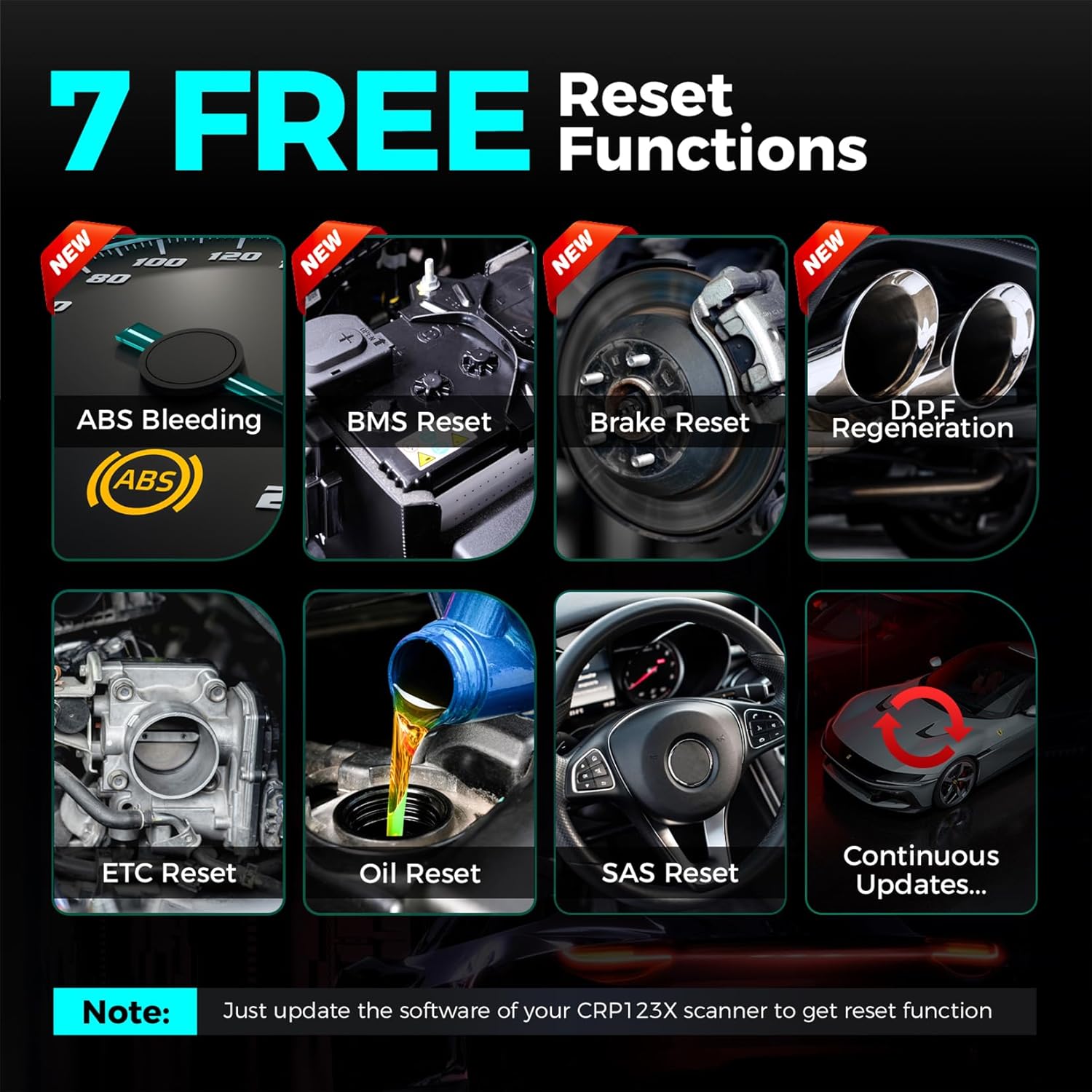
The LAUNCH scanner CRP123X Elite goes beyond diagnosing four vehicle systems (Engine, Transmission, ABS, SRS) by offering additional 7 special features in the obd2 scanner CRP123X. This expanded set of capabilities makes the scan tool exceptionally versatile and enhances its professionalism in maintenance.
NEWLY ADDED "MALL" FUNCTION:
In view of the feedback from many customers that sometimes they need other special functions, such as abs bleeding , but they don’t want to buy additional equipment. So our LAUNCH engineers updated the CRP APP and added the Mall menu. Users can purchase the desired Reset functions / all systems all functions diagnostics (like bidirectional control, relearn, matching, coding functions) for certain car in the Mall menu as their needs. After the purchase is successful, you can view and use them in the "Reset" menu.
Warm tips: The reset is valid for one year; Downloading to the local can keep using for unlimited time, but can't be renewed after one year.
Note: These special functions is optional as your demand, Pls think twice before you buy it , since each one is 49.95/ set/ year. If you need it, please confirm the compatibility before purchase!!!
Q: A specific feature for a model is not supported?
A: The official website of Launch provides compatible model searches. However, you are welcome to touch us directly before purchasing, and we will help you confirm the model compatibility promptly, which saves you time and improves the accuracy of the query.
1. The special functions do not apply to all models, if you are not sure whether these functions are applicable to your car model, you can ask us before you purchase.
2. If you need to use other features than these 7, you need to pay for them in the "MALL" menu of the product. Please confirm with us whether the function is suitable for your car before purchase. These special functions is optional as your demand, Pls think twice before you buy it , since each one is 49.95/ set/ year. If you need it, please confirm the compatibility before purchase!!!
No matter what kind of problems are on electronic control modules, the LAUNCH scan tool will spend minimal time reading and clearing fault codes for ABS/SRS/Engine/Transmission systems. But also utilize Auto VIN technology to pinpoint the accurate diagnostic procedure for each specific vehicle, for you to repair correctly.
These 4 systems with the highest appeal to customers:
What can this LAUNCH car scanner do for your vehicle?
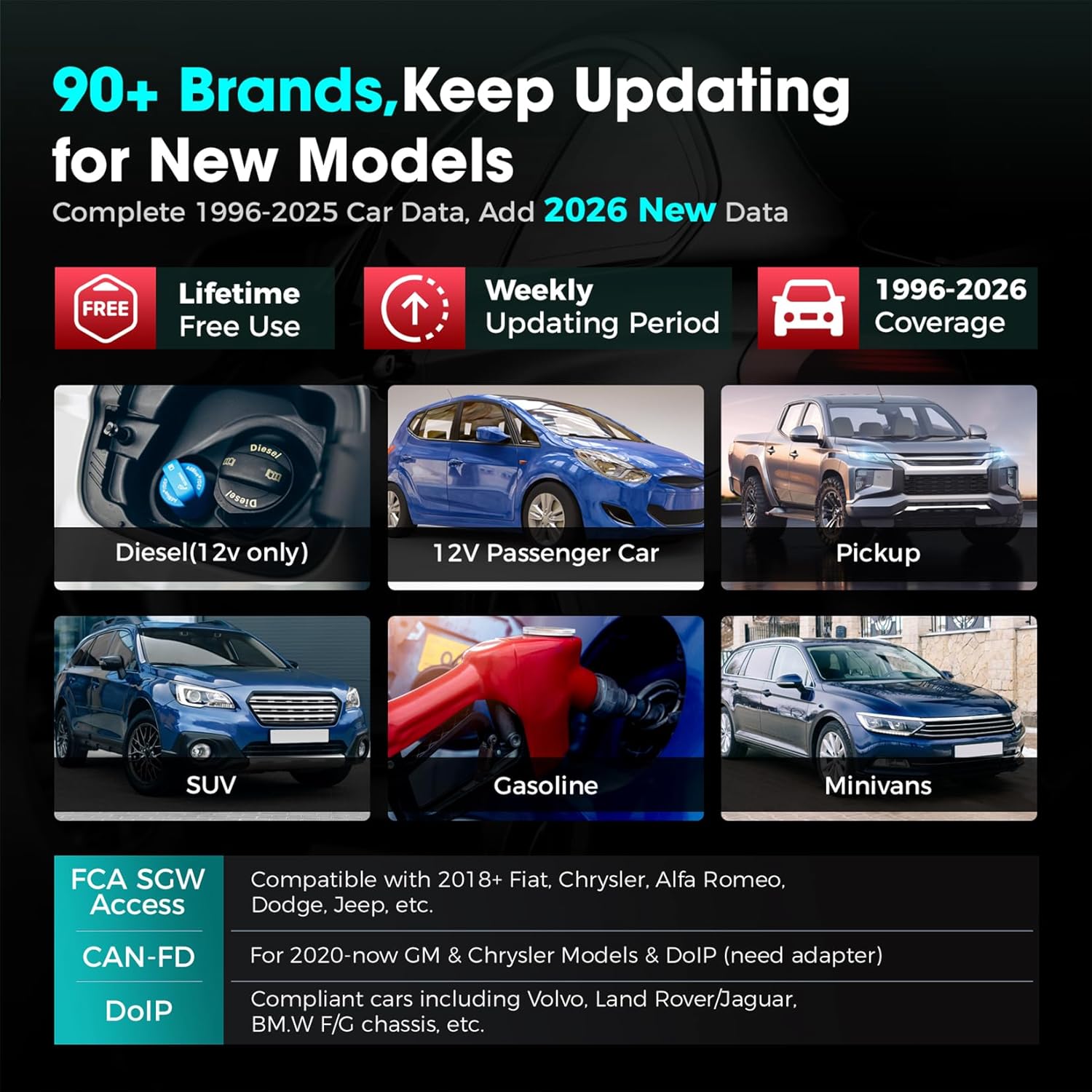
Please Note: four system diagnoses and Auto VIN are supported for vehicles mainly from 2006 to 2026. if you encounter incompatibility , kindly provide the model, year, VIN of your vehicle info to LEOGLOBAL.
Q: Fail to start Auto VIN detection? A: Please check the following possible reasons: 1. Whether the scan tool is properly connected to the vehicle’s DLC; 2. Whether the “Automatic detection on Connect” switch is OFF. If yes, slide it to ON. For vehicles that do not support Auto VIN: You can manually input the VIN for diagnoses.
Choose LAUNCH Tool Get Business Launch
To respond to the growing enthusiasm for diagnostic needs, we have updated some modules on the 2025 version CRP123X diagnostic tool to improve the users’ experience. Compared with 2025 ver. LAUNCH auto diagnostic scanner, some surprising changes had happened. Let’s have a look at it.
One plus one is more than two: LAUNCH CRP123X and expansion tools work together to show more diagnostic details, give more precise readings, and add more helpful functions. This helps you handle complex repairs as quickly as possible. Include battery tester(LAUNCH BST360) and TPMS Tool(X431 i-TPMS). (Additionally, these add-on tools are not included in your LAUNCH package).
One-click Updating Design: One-tap Updating, within 15 seconds, no need for a PC or SD card, quickly fixes all bugs and upgrades software version, no extra fee. Easy to operate anytime, anywhere, even your grandmother can handle.
Superior Configuration, More Memory, Faster Connection: The LAUNCH CRP123X V3.0 is based on the Android 8.1 OS and has 2 GB of RAM and 32 GB of ROM. It operates at a faster diagnostic speed and can obtain large amounts of data and graphs without any slow logging. The larger 5" touchscreen makes it easier to read and provides a more intuitive view of live data. The 6,100 mAh rechargeable battery provides 15+ hours of use. 2.4 and 5 GHz Wi-Fi accelerates the entire diagnostic process and provides the convenience of one-click fast software updates.
1996-2026 Car Supporting: LAUNCH CRP123X scan tool newly perfects more vehicle data for 1996-2025 models and newer 2026 cars, to enhance vehicle diagnostic communication. Weekly updating will also obtain newer vehicle diagnostic software.
More Protocol Support, Diagnose More Vehicles: LAUNCH CRP123X obd2 scanner is compatible with CAN FD & DoIP(Need to buy adapters. ) which improves diagnostic speed for more models, such as G.M, BM.W, Volv.o, Land R.over, Jaguar, etc.It will also be compatible with future models. Freeing from Gateway limitation, this LAUNCH scanner can help (no charge) to login the FCA account successfully and open more gateways to securely operate bi-directional tests, clearing fault codes, SAS calibrations, etc., for Fiat, Ch.rysler, Alfa Romeo, etc.
Global Vehicle Diagnostics: Working well with American/Asian/European Models.
Q: Lack of charger? A: The charger is not included. The launch obd2 scanner can get power via the DLC of your vehicle and PC. The USB charging cable is in the carrying bag, please double check if you could find it.
Q: Insufficient storage space? A: Please try to clear some cache files and free up some storage space. Here is the path: Settings << Clean up. Or you can try to factory reset the tool. Here is the path: Settings << Recovery. Note: Resetting may cause data loss. Before doing so, please be careful to perform this operation.
Q: The SN Code not registered? A: Please check the time/time zone and network work well. If the issue is still there, please try to factory reset the device. Here is the path: Settings << Recovery.
Q: Fail to turn on? A: In response to this issue, please try the following tips to see if it works: 1. Please try to turn the scanner on after charging for 2-3 hours and check if the indicator light is on; 2. Please try another charging cable available; 3. If it still cannot be turned on, it is recommended that you press and hold the power button of the scan tool for 10-15 seconds to try to turn it on.
고객 리뷰
4.40
(100 점수)
댓글 취소
댓글을 남겨주세요

배송 및 반품
우리가 당신을 보호하겠습니다
대부분 지역에서는 배송비를 한 번만 지불하시면 됩니다 (주문 및 배송 페이지를 확인해 주세요).
구매 후 14일 이내 무료 반품 가능 (단, 수명이 다한 제품, 맞춤 제작 상품, 마스크, 향수 및 에어로졸과 같이 위험하거나 인화성 물질이 포함된 일부 제품은 제외).
수입 관세 정보
복잡한 절차는 저희가 처리해 드리겠습니다. 카나리아 제도를 제외한 모든 EU 국가, 영국, 미국, 캐나다, 호주, 뉴질랜드, 푸에르토리코, 스위스, 싱가포르, 한국, 쿠웨이트, 멕시코, 카타르, 인도, 노르웨이, 사우디아라비아, 대만, 태국, UAE, 일본, 브라질, 맨섬, 산마리노, 콜롬비아, 칠레, 아르헨티나, 이집트, 레바논, 홍콩 특별행정구, 바레인, 터키로 배송되는 상품 가격에는 모든 수입 관세가 포함되어 있습니다. 표시된 가격이 최종 결제 금액입니다.
예상 배송 시간
특급 배송: 7-10일
해당 창고에서 배송되었습니다.
반품 정책
반품 정책
저희는 제품 품질에 자신 있습니다. 만약 구매하신 제품에 완전히 만족하지 못하신다면, 수령일로부터 30일 이내에 간편하게 반품하실 수 있도록 정책을 마련해 두었습니다.
간편한 교환 또는 환불
- 다른 사이즈, 색상 또는 스타일의 상품으로 교환하거나 전액 환불받을 수 있습니다.
- 반품되는 모든 상품은 착용하지 않은 상태여야 하며, 원래 포장 상태 그대로 모든 태그가 손상되지 않은 상태여야 합니다.
간단한 절차
- 온라인으로 반품을 신청하거나 고객 서비스 팀에 문의하여 도움을 받으실 수 있습니다.
- 물품을 제대로 포장해 주시고, 원래의 포장 목록도 함께 넣어주세요.
- 반품하실 상품을 보내주실 때에는 저희가 제공해 드린 선불 배송 라벨을 사용해 주시기 바랍니다.
- 환불 요청 접수 즉시 처리해 드리겠습니다.
반품과 관련하여 궁금한 점이나 우려 사항이 있으시면 언제든지 저희 전문 고객 서비스 팀에 문의해 주세요. 고객 만족은 저희의 최우선 목표입니다.