


입력 장치
Wacom Cintiq 24 Touch Drawing Tablet with Screen, 23.8 inch Display, Pro Pen 3 (Battery-Free), 100% sRGB Pen Display for Artists, Designers, Animation, Game Dev, Works with Mac, PC & Android
4.50
지난 32시간 동안 판매됨 46
$ 1,499.95
$ 1,544.00
-2.94%
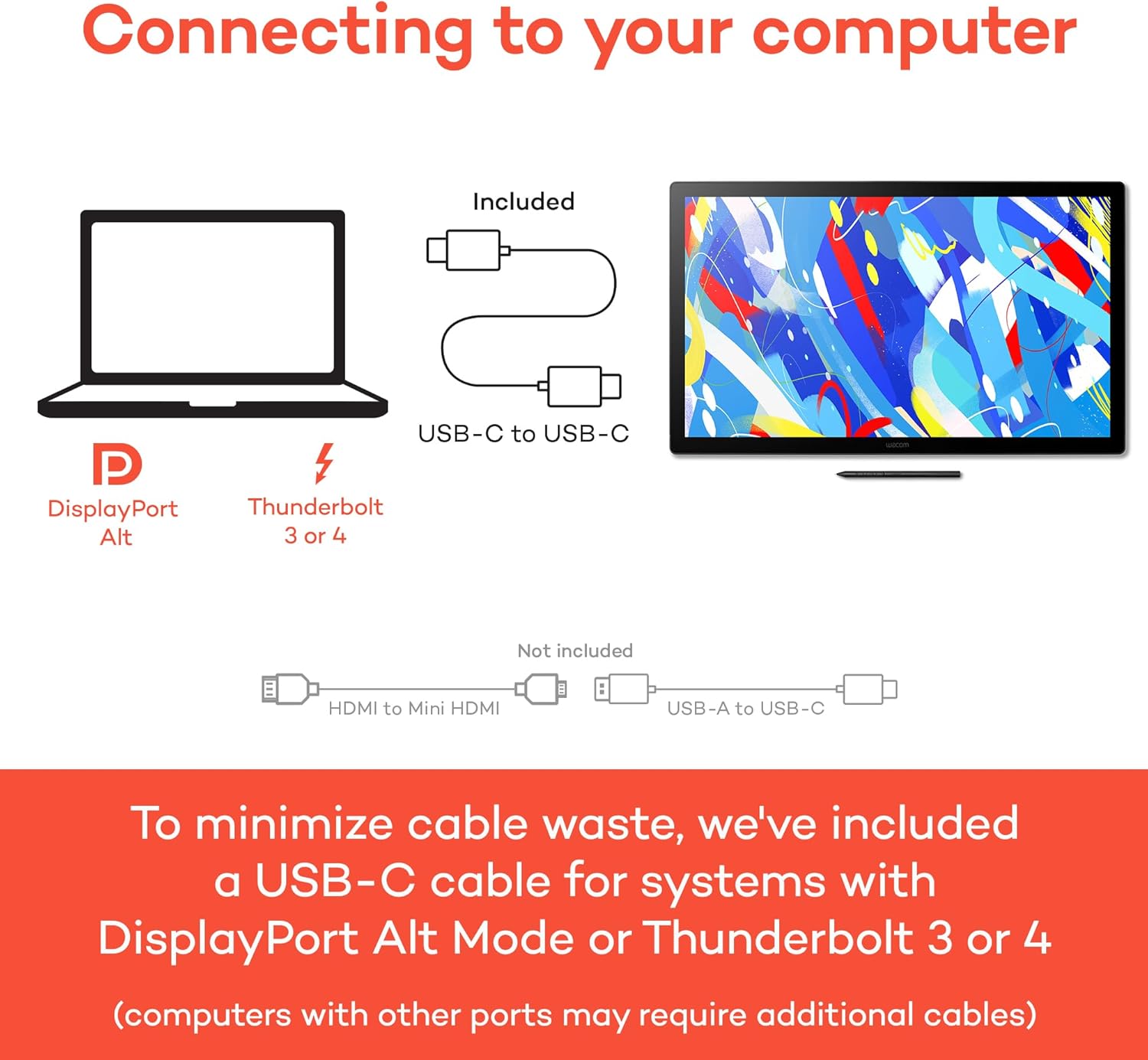
The media could not be loaded. I am an illustrator and animator (@inkshift) with over 14 years of experience working for Disney & Cartoon Network here in Portland, OR. I've also been a Wacom user for over 20 years, so let me open this review by saying they really knocked it out of the park with this new Cintiq 22.This is also my 4th Cintiq, so you judge for yourself if i have a problem or not ;) I have the 27” pro at my office as well as the new 16 and a super old 12” in addition to a handful of tablets dating all the way back to the late 90s.This Cintiq 22 is part of their new line of more affordable Cintiqs Wacom started rolling out this year and it really seems to be the golden mean between the smaller 16 and the larger Pros. Full disclosure: Wacom DID provide me this unit for review purposes but I hereby solemnly swear all views in this review are entirely my own and 100% my own opinions.First off: the pressure sensitivity is beautiful and virtually indistinguishable from my 27” pro, which cost over twice as much. As you can see in the attached timelapse of an illustration I did on this 22, each line came out exactly like I wanted it: smooth tapers, no shaky lines, no blotches, weird unintended textures or weird ends to my strokes.The included Pro Pen 2 is a solid, comfortable pen and really helps you feel the 8192 levels of pressure. You can also the new Pro Pen slim if you want a sleeker pen but i prefer the stubbier feel.Secondly, the overall build quality and polish impresses, it is very solid and the design is professional and clean. Small detail but important to me: the power button is easily pushed and feels pleasant and responsive.The entire machine feels very sturdy while not being too heavy. I kind of wish they brought back the side buttons they had on the 12” and 21” but I can see how it makes sense ergonomically and aesthestically to leave those off. It should be noted that this 22” doesn’t come with a remote or a bluetooth keyboard, which is not a deal breaker for me because my 27” came with the remote and I never use it.It DOES however come with a fantastic, preattached stand! The new stand is sturdy, stable, lightweight, solid metal with non-slip rubber grippy feet, easy to use and highly flexible. Wacom REALLY came through for its users with the stand this time, as I have not been a fan of the stands of the past: they’re either huge, expensive, cumbersome and awkward to operate or they just have the little fold out legs, which are simply insufficient for long term use and you’d need to invest in an extendable arm that can keep your Cintiq suspended/supported.One difference between the pro line and this newer, more affordable line is that these units do not have a bonded glass display. THis means that there’s a tiny bit of space between the pen and the screen and that generally means there is more parallax (the offset between the cursor and the pen), but it was not noticeable to me once I calibrated it properly. The screen has an anti-glare surface which feels nice and smooth, not slick or slippery at all with just the right amount of texture to it.Another difference between this 22 and the pro line is the Adobe RGB colour range. This Cintiq sports a 72% Adobe RGB vs a 97% for the pro line, but I don’t think you will be disappointed (or honestly really notice? I didn’t) unless you’re super tuned into colour and colour correction or need the most accurate representation possible. But at that point, you should probably be investing in the pro line.Like I said, I also have the new 16 which is also great but felt a bit small to me and became cumbersome very quickly for when I needed a number of palettes/windows open. At 22”, (21.5” viewable), that is is not a problem here at all.Wacom has paid great attention to detail in packaging as well as the attached power cords: it includes a British power plug free of charge, as well as 2 different orientations of power cords: horizontal and vertical. As you can see in my unboxing clip, I’m a little surprised by the amount of power cables at first glance but upon further inspection it all makes sense.Setup was very easy: 3 cables as seen in the picture. The HDMI cable is a welcome addition compared to the 3-in-1 cables, which are a bit messy, cumbersome and require complete replacement should ONE of them have an issue.Things to note!I didn’t bother adjusting the pressure curve settings because they were great out of the box, but I did change the click speed and I also deactivated Windows Ink (I use windows 10). I don’t understand what Windows ink is for but all it seems to do to me is make you unable to drag/select text in input fields.Conclusion:All in all, this is a beautiful and affordable piece of equipment. It is technically part of their ‘budget’ line but there is nothing budget about the size or the quality of this device. The size, design and build quality exude class and quality and the pen and pressure sensitivity are best in class.While the unit is not small, it strikes a perfect balance between spacious and compact. It doesn’t take over your whole desk like my larger units nor does it break the bank at $1200. I would definitely recommend this to the professional on a budget or a very lucky/forward thinking student or hobbyist.PROS:- Buttery smooth & responsive pressure sensitivity- Smooth but not slick anti-glare surface- Solid build quality and professional look & feel- Comes with a sturdy, stable and flexible stand- Great size with room for longer strokes and all the palettes/windows you may need open- Stays cool even when working on it all dayCONS:- “Only” full HD (1920 x 1080) vs the 4k of newer models but I have the 4k model as well and I haven’t been botheredby any potential pixelation. All my illustrations are all made at 600 Dpi and I haven't noticed any problems.- Mine had 1 dead pixel but I only notice it when I look for it. I streamed a commission earlier today in myInkshift Facebook group and didn't notice it once.
21 현재 누군가가 웹사이트를 탐색 중입니다.
수량:
-
+
예상 배송 시간: 12~26일(국제), 3~6일(미국)
구매일로부터 45일 이내에 반품이 가능합니다. 관세 및 세금은 환불되지 않습니다.
-
ASIN:
B0DMBVZH5Q
-
BEST_SELLERS_RANK:
#24 in Computer Graphics Tablets
-
CUSTOMER_REVIEWS:
4.5 4.5 out of 5 stars (645) 4.5 out of 5 stars
-
DATE_FIRST_AVAILABLE:
June 25, 2025
-
ITEM_MODEL_NUMBER:
DTH246K0A
-
ITEM_WEIGHT:
12.98 pounds
-
MANUFACTURER:
Wacom Technology Corporation
-
PRODUCT_DIMENSIONS:
22.36 x 13.39 x 0.04 inches
안전한 결제를 보장하세요






제품 상세 정보
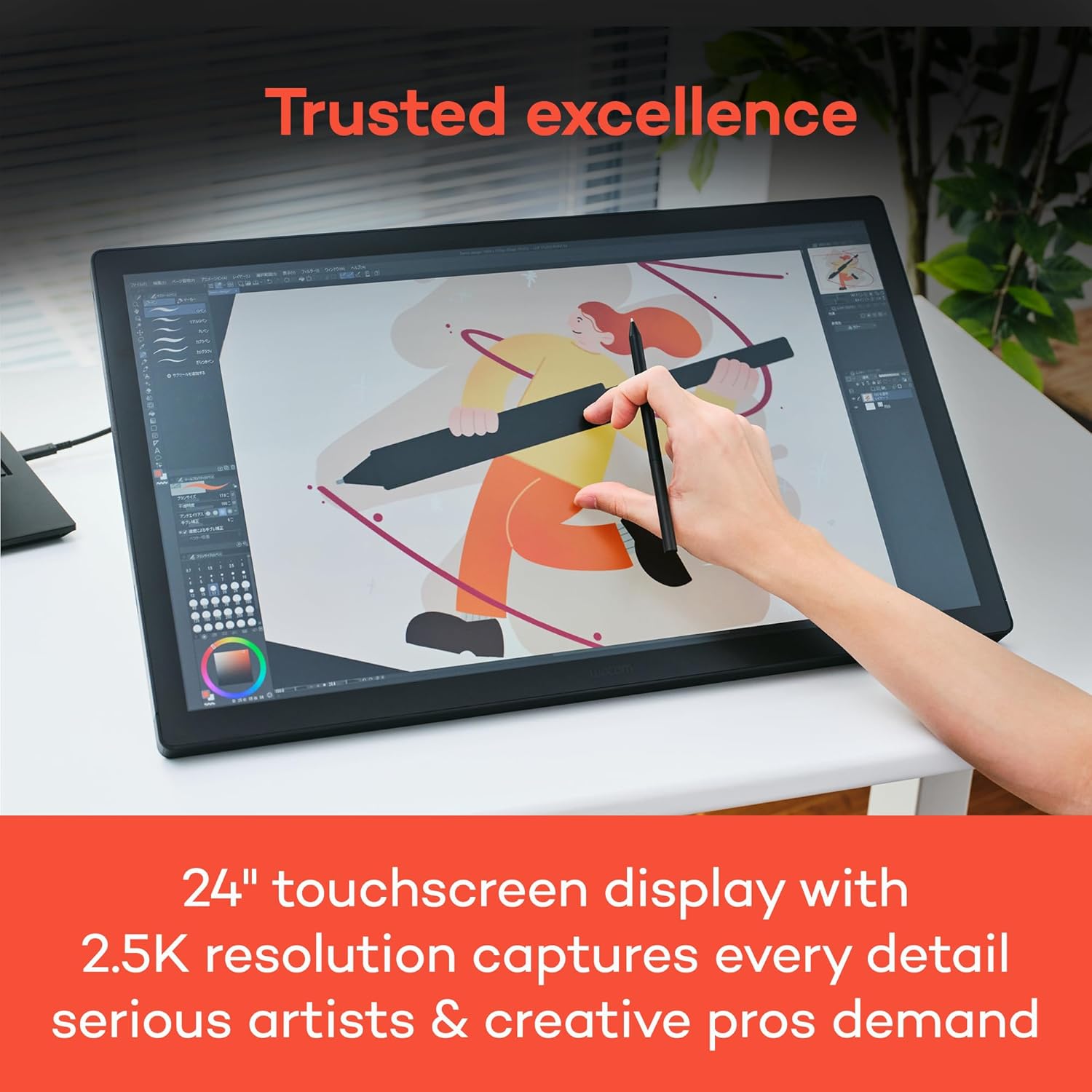
Dive into creativity with the new Wacom Cintiq - a professional display tablet that combines the natural feel of traditional drawing with cutting-edge digital precision. Its ultra-responsive stylus, crisp resolution, and anti-glare surface deliver an authentic pen-on-paper experience for illustrators, designers, and digital artists ready to explore their full potential. Choose the compact Cintiq 16, the expansive Cintiq 24 or get hands-on with the Cintiq 24 Touch.
Experience true-to-life colors with rich gradients and nuanced shading that bring your digital artwork to life. The optically bonded, anti-glare etched glass creates near-zero parallax, placing your cursor directly beneath the pen tip for precise control. The fan-less design ensures whisper-quiet operation and cooler surface temperatures for comfortable extended sessions. With fluid, responsive pen strokes and striking visual contrast, Cintiq delivers the professional-grade performance that graphic designers, illustrators, and animators trust.
Whether you're upgrading from an entry-level tool or switching from a competitor, Wacom Cintiq delivers the trusted performance and durability artists expect - without compromise. The Cintiq 16 combines an accessible price with Wacom's industry-leading pen technology, refined through decades of innovation and perfect for those ready to level up their digital art. For creatives who want more space, the Cintiq 24 and 24 Touch offer a generously-sized canvas backed by the same reliable pen technology artists have trusted for over 40 years. With Wacom, you don't have to choose between quality and cost - you get both.
고객 리뷰
4.50
(100 점수)
댓글 취소
댓글을 남겨주세요

배송 및 반품
우리가 당신을 보호하겠습니다
대부분 지역에서는 배송비를 한 번만 지불하시면 됩니다 (주문 및 배송 페이지를 확인해 주세요).
구매 후 14일 이내 무료 반품 가능 (단, 수명이 다한 제품, 맞춤 제작 상품, 마스크, 향수 및 에어로졸과 같이 위험하거나 인화성 물질이 포함된 일부 제품은 제외).
수입 관세 정보
복잡한 절차는 저희가 처리해 드리겠습니다. 카나리아 제도를 제외한 모든 EU 국가, 영국, 미국, 캐나다, 호주, 뉴질랜드, 푸에르토리코, 스위스, 싱가포르, 한국, 쿠웨이트, 멕시코, 카타르, 인도, 노르웨이, 사우디아라비아, 대만, 태국, UAE, 일본, 브라질, 맨섬, 산마리노, 콜롬비아, 칠레, 아르헨티나, 이집트, 레바논, 홍콩 특별행정구, 바레인, 터키로 배송되는 상품 가격에는 모든 수입 관세가 포함되어 있습니다. 표시된 가격이 최종 결제 금액입니다.
예상 배송 시간
특급 배송: 7-10일
해당 창고에서 배송되었습니다.
반품 정책
반품 정책
저희는 제품 품질에 자신 있습니다. 만약 구매하신 제품에 완전히 만족하지 못하신다면, 수령일로부터 30일 이내에 간편하게 반품하실 수 있도록 정책을 마련해 두었습니다.
간편한 교환 또는 환불
- 다른 사이즈, 색상 또는 스타일의 상품으로 교환하거나 전액 환불받을 수 있습니다.
- 반품되는 모든 상품은 착용하지 않은 상태여야 하며, 원래 포장 상태 그대로 모든 태그가 손상되지 않은 상태여야 합니다.
간단한 절차
- 온라인으로 반품을 신청하거나 고객 서비스 팀에 문의하여 도움을 받으실 수 있습니다.
- 물품을 제대로 포장해 주시고, 원래의 포장 목록도 함께 넣어주세요.
- 반품하실 상품을 보내주실 때에는 저희가 제공해 드린 선불 배송 라벨을 사용해 주시기 바랍니다.
- 환불 요청 접수 즉시 처리해 드리겠습니다.
반품과 관련하여 궁금한 점이나 우려 사항이 있으시면 언제든지 저희 전문 고객 서비스 팀에 문의해 주세요. 고객 만족은 저희의 최우선 목표입니다.